[ 001 / HERO ]BODY · PROGRESS · ALBUMv 4.0 ★ 10K+ INSTALLS

PHOTOTRACKERFOR YOUR BODY

The scale lies. Your body doesn't. Shoot the same pose every week. See the change you can't measure in kilograms.
4.6· 23K+ ATHLETESNO ADS · NO WATERMARK
WHAT YOU CAPTURE →
  • Body shape · contours
  • Posture · symmetry
  • Custom parameters
  • Pose-matching guides
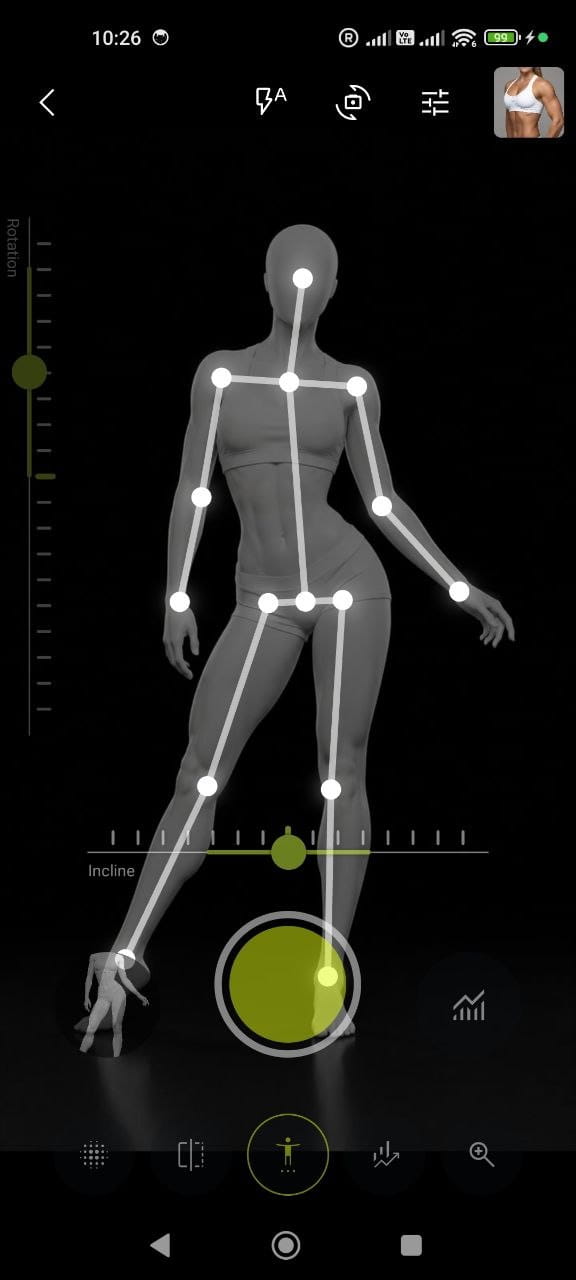
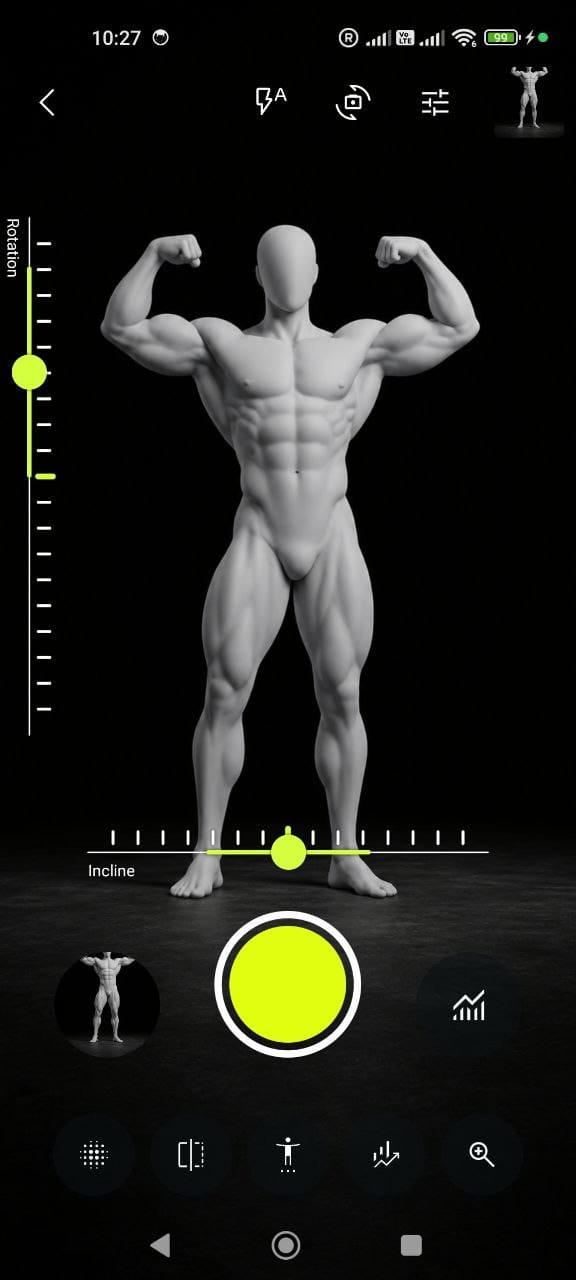
Fitness Camera — pose-guided camera screen on Android
[ 002 / THE PROBLEM ]

Your eyes lie.
Your camera doesn't.

Most people quit because they can't see results in the mirror. Daily changes are invisible. Weekly photos reveal what the scale never will — real, undeniable transformation. Fitness Camera makes every photo count by aligning them perfectly so you can actually compare.

[ 003 / FEATURES ]

SIX
WEAPONS.

Built by lifters who got sick of the scale. Each tool answers one question the bathroom mirror can't.

// 01

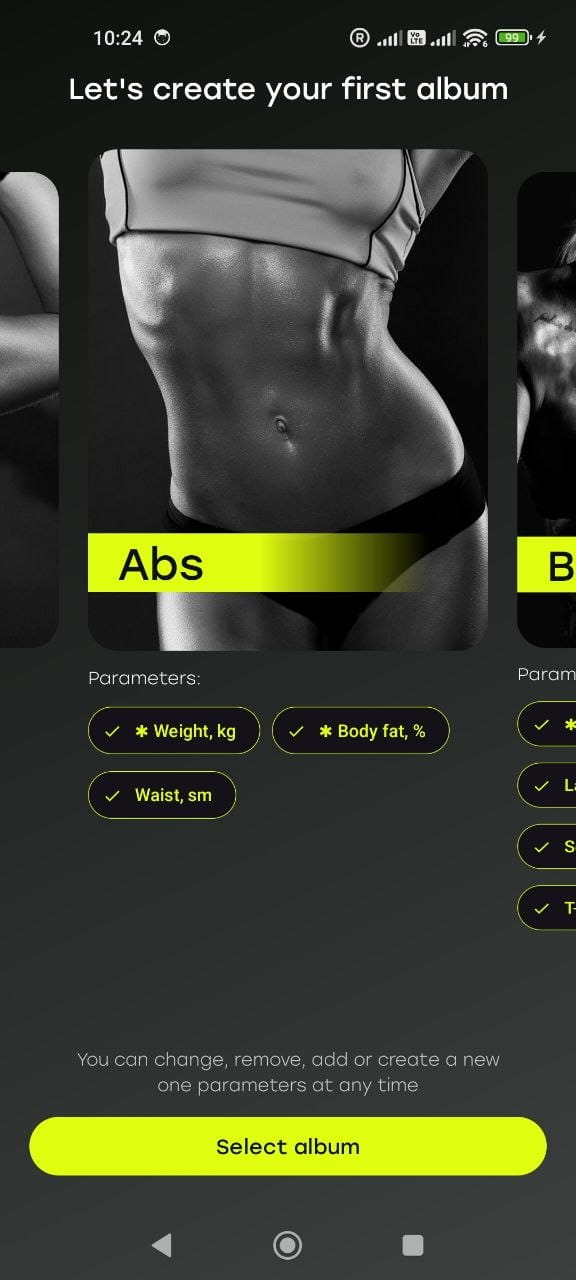
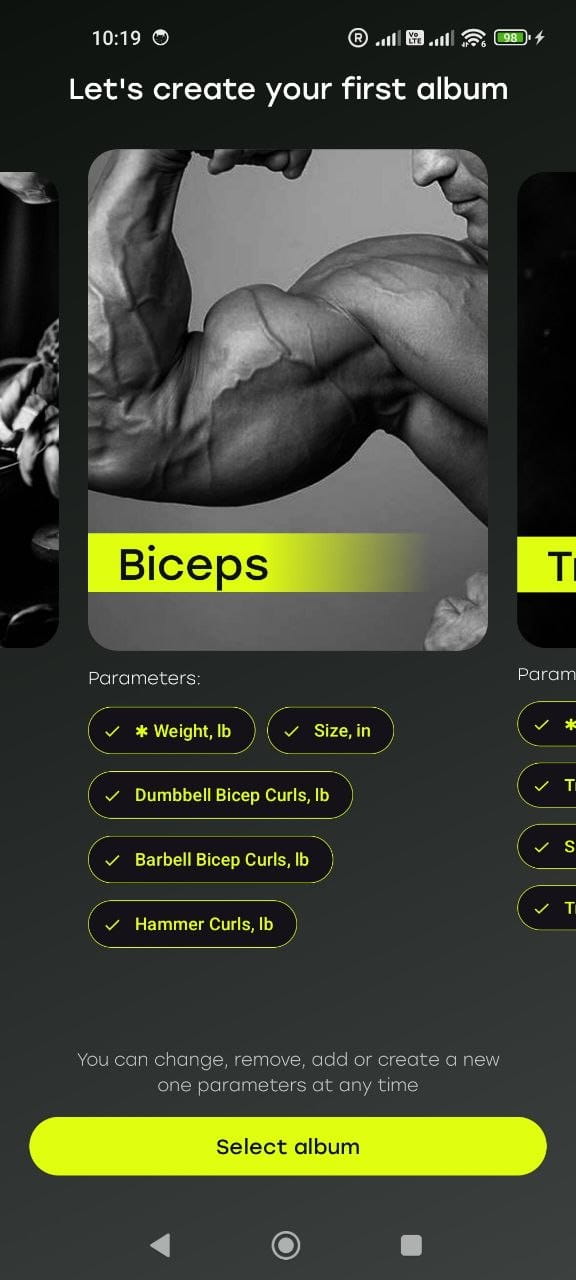
Body-part albums

Spin up a separate album for biceps, abs, chest, back — or your whole physique. Each zone tracked on its own timeline.

// 02

Custom parameters

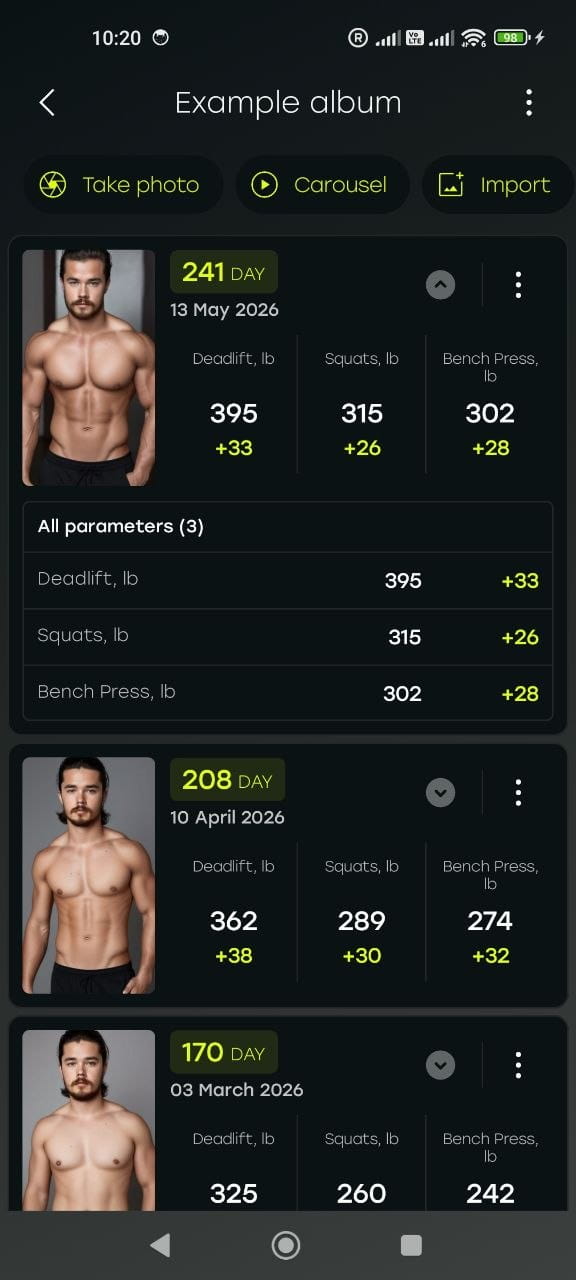
Log your own numbers with every photo: weight, body fat, measurements, lift PRs, even nutrition. Global parameters keep their history across all albums.

// 03

Pose guide

Your last photo appears as a ghost overlay, and tilt sensors help you catch the exact same angle. No more guessing.

// 04

Hands-free capture

Pose detection reads your skeleton — the moment you match your saved pose, it shoots automatically. Put the phone down and shoot from across the room.

// 05

Slides & carousel

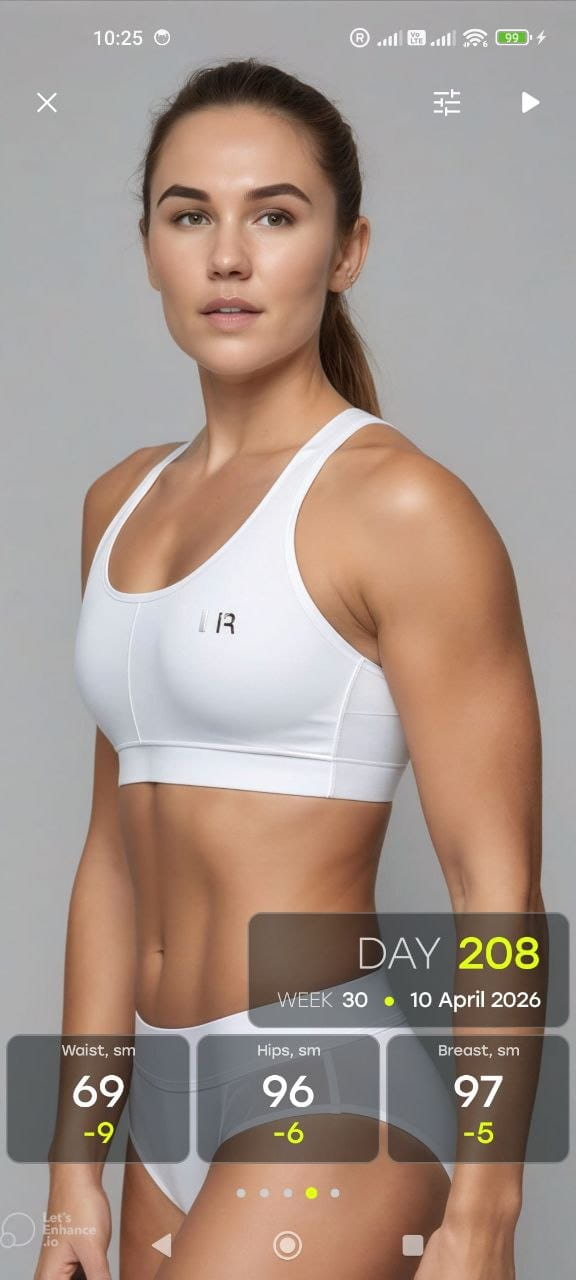
Scroll your whole journey as one feed, or play it back as a carousel — every frame stamped with date, week and your parameters.

// 06

Before/after collages

Build a comparison from any shots: pick the grid, set the aspect ratio, and you've got a frame worth sharing.
[ 004 / HOW IT WORKS ]

THREE STEPS.
NO EXCUSES.

01
Take your first photo
Choose front, side, or back. Use the in-app pose guide. This is your anchor.
02
Come back weekly
Get reminded. The app aligns your new photo to the previous one automatically.
03
Watch yourself transform
Compare any two photos side by side. Share with your trainer or keep it private.
[ 005 / IN THE APP ]

EVERY SCREEN. NO BLOAT.

Body-part progress photo albums — abs, biceps, chest and back tracked in Fitness Camera
Albums · 01/05
Weekly progress feed with waist, hip and chest measurements logged by date
Progress log · 02/05
Custom parameters logged with every photo — weight, body-fat percentage, lift numbers
Custom parameters · 03/05
Progress slides and carousel with dates and body parameters
Photo + measurements · 04/05
Hands-free capture with pose detection — pose guide for repeating the exact angle
Hands-free capture · 05/05
[ 006 / REVIEWS ]

Trusted by 10,000+ trackers.

Real users, real changes.

I've tried mirror selfies for years and never saw progress. Three months on this app and I can finally see the muscle I built. Game changer.
Marcus T.
Gym member · 6 months
The alignment overlay is genius. I used to take random photos and they never matched up. Now every week looks like a proper comparison. Stayed consistent for the first time ever.
Sofia R.
Postpartum recovery · 4 months
I lost 18kg over a year and almost gave up at month 3 because the scale lied. The photo comparison kept me going — I could SEE it working when the scale wouldn't move.
David K.
Weight loss journey · 12 months
Love that everything stays on my phone. I don't want my progress photos floating on someone's server. This app respects that.
Anna M.
Privacy-conscious user · 8 months
[ 007 / FAQ ]

Questions, answered.

01.How do I track my fitness progress with photos?
Take a photo from the same angle, in the same lighting, at the same time of day — ideally weekly. Fitness Camera does this automatically by overlaying your previous photo as a guide, so every shot is perfectly aligned. Then you can compare any two photos side by side and see exactly how your body has changed.
02.How often should I take body progress photos?
Once a week is the sweet spot. Daily changes are too small to notice and can be discouraging. Weekly photos, taken on the same day under the same conditions, show real progress without the noise of daily fluctuations like water retention or bloating.
03.Can I track measurements and numbers, not just photos?
Yes. Alongside every photo you can log custom parameters — weight, body fat, waist and hip measurements, lift numbers, even nutrition. Global parameters keep their history across all albums, and you can sync body metrics to Health Connect.
04.Can I take photos without touching my phone?
Yes — that's pose detection. The app reads your body's skeleton, and the moment you match the pose from your last photo, it captures automatically. Set the phone down, step back and shoot hands-free from across the room.
05.Are my progress photos private and secure?
Absolutely. All photos are stored locally on your device. We don't upload them to any server, we don't have access to them, and they're never shared without your explicit action. Your transformation is yours alone.
06.Can I track muscle gain, not just weight loss?
Yes. The app doesn't care what kind of transformation you're tracking — muscle gain, fat loss, recomposition, or postpartum recovery. Photos show what the scale and tape measure can't.
07.What's the best angle for progress photos?
Take three photos every session: front, side (profile), and back. Stand relaxed with arms slightly away from your body, use neutral lighting, and pick a plain background. Fitness Camera remembers your last pose and overlays it so you nail the same angle every week.
08.When will Fitness Camera be available on iPhone?
The iOS version is in active development. Join the waitlist on this page to be notified the day we launch on the App Store.
09.How is this different from just using my phone's regular camera?
Four things your camera roll can't do: an alignment overlay so photos match week to week, hands-free pose detection that shoots when you hit the pose, an automatic timeline so you don't scroll through thousands of photos, and built-in side-by-side comparison. It's purpose-built for progress.
[ 008 / iOS WAITLIST ]

Be first on iPhone.

We're launching on iOS soon. Drop your email and we'll let you know the moment it's live on the App Store. No spam, one email, that's it.

No spam. One email when we launch. Unsubscribe with one click.

[ 009 / DOWNLOAD ]

STOP
WEIGHING.
START SHOOTING.

Free on Google Play. Ad-free forever. PRO unlocks unlimited albums, export tools, and the before/after collage maker.

Download on Google Play